Add film grain to any video
Filmina's free Fine Grain effect lays moving film grain over the video you're watching, on YouTube, Netflix and most other sites, and Heavy Grain and Memory Film go further with Pro. The grain moves every frame, like film, instead of sitting on the picture like a texture.
Free to start. No account, nothing uploaded. Chrome, Edge and Brave; Firefox in beta.
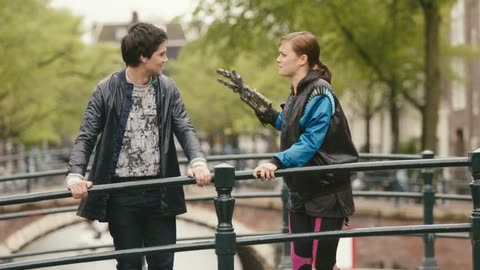
Try it on a canal bridge
Grain shows best on skin, skies and shadows: switch clips to see all three.
Now showing Grain: Fine Grain
Video: Tears of Steel (© 2012 Blender Foundation) and Big Buck Bunny (© 2008 Blender Foundation), licensed CC BY 3.0; Tears of Steel cropped to 16:9. Graded in your browser by the extension's own renderer; nothing is uploaded.
Three grains
The same frame with each, drawn by the extension's shader.
Free
Fine Grain
A gentle grain that shows on skin and skies without getting in the way.
-
Pro
Heavy Grain
Coarse, organic grain, for a rougher film stock.
-
Pro
Memory Film
Grain with a light leak and a warm glow, like a faded print.
Why add grain
Grain is what film looks like up close: a fine, moving texture that softens the clean digital edge of a picture. It can also make the banding in skies and dark gradients less obvious.
Grain on Netflix
Grain is drawn over the video rather than read from it, so it works on Netflix, Disney+, Prime Video and HBO Max too. Memory Film's glow sits out there; its grain and light leak stay.
Grain and looks
Grain sits on top of any look: with Black & White it makes an old newsreel. Some looks, like Home Movie and Soft Film, carry their own grain already.
Turn it on in three steps
-
Add Filmina to Chrome
It is free and needs no account. Edge and Brave work too.
-
Show the rail on a video
Play something, click the Filmina icon in the toolbar and press Show rail, or press Alt+Shift+S. The rail sits beside the player.
-
Add grain
Open FX, choose Texture and tap Fine Grain. Set how much with the Amount at the top of the flyout.
Questions
Common questions
- Add Filmina, show the rail on the video, open FX and tap Fine Grain under Texture. It is free, and the Amount slider sets how strong it is.
- Fine Grain is free on every plan. Heavy Grain and Memory Film are part of Pro, and the free plan can apply 3 Pro effects a week.
- Yes. Grain is drawn over the video, so it works on Netflix, Disney+, Prime Video and HBO Max as well as YouTube.
- Yes. It changes every frame, the way film grain does, rather than sitting still over the picture.
- In normal use we have not measured a drop in frame rate: the grain is drawn on the graphics card, or as a light layer over the video on protected sites.
Try it on your own videos.
Install Filmina free. No account, and nothing you watch leaves your device.