Watch any video in black and white
Filmina's free Black & White look turns the video you're watching to black and white, with its full range of tones, on YouTube, Netflix and any other site; Warm Sepia gives it the brown of an old print. Noir Mono and Lighthouse go darker and grainier with Pro. Only the video changes: the page around it keeps its colors.
Free to start. No account, nothing uploaded. Chrome, Edge and Brave; Firefox in beta.
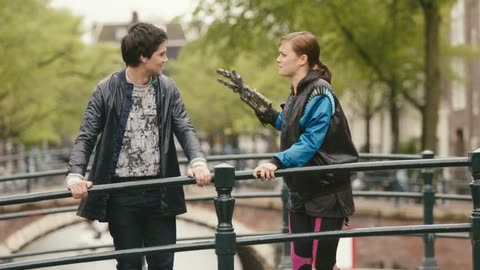
Try it on a canal bridge
Pick a look, then slide its Amount to bring some of the color back.
Now showing Look: Black & White
Video: Tears of Steel (© 2012 Blender Foundation) and Big Buck Bunny (© 2008 Blender Foundation), licensed CC BY 3.0; Tears of Steel cropped to 16:9. Graded in your browser by the extension's own renderer; nothing is uploaded.
Four kinds of black and white
The same frame with each, drawn by the extension's shader.
Free
Black & White
Pure black and white with every tone kept, from deep black to clean white.
-
Free
Warm Sepia
A warm brown monochrome, like an antique print.
-
Pro
Noir Mono
Deep blacks, crushed shadows and a vignette, for drama.
Why watch in black and white
To see a film the way it was shot, to make old footage look its age, or to make a video a little less eye-catching: some people turn their phones grey for the same reason.
On Netflix and other protected services
Black and white is a change of color, which protected services let a browser make, so it works on Netflix, Disney+, Prime Video and HBO Max too.
Only the video
Filmina changes the video and nothing else. To turn the whole screen grey, use your system's grayscale color filter: under Accessibility, Display on a Mac, or Accessibility, Color filters on Windows.
Turn it on in three steps
-
Add Filmina to Chrome
It is free and needs no account. Edge and Brave work too.
-
Show the rail on a video
Play something, click the Filmina icon in the toolbar and press Show rail, or press Alt+Shift+S. The rail sits beside the player.
-
Pick black and white
Open Looks and tap Black & White under Mood, or Warm Sepia under Era. Click it again to bring the color back.
Questions
Common questions
- Add Filmina, show the rail on the video, open Looks and tap Black & White. It is free, and clicking it again brings the color back.
- Yes. Black and white is a change of color, which Netflix lets a browser make, so Filmina's looks work there just as on YouTube.
- Black & White and Warm Sepia are free on every plan. Noir Mono and Lighthouse are part of Pro.
- Yes. The look's Amount slider fades from the original colors at 0% to full black and white at 100%.
- No, only the video. For the whole screen, use the grayscale color filter in your system's accessibility settings.
Try it on your own videos.
Install Filmina free. No account, and nothing you watch leaves your device.